Installation
Follow these simple steps to install WP Global Rank on your WordPress site:
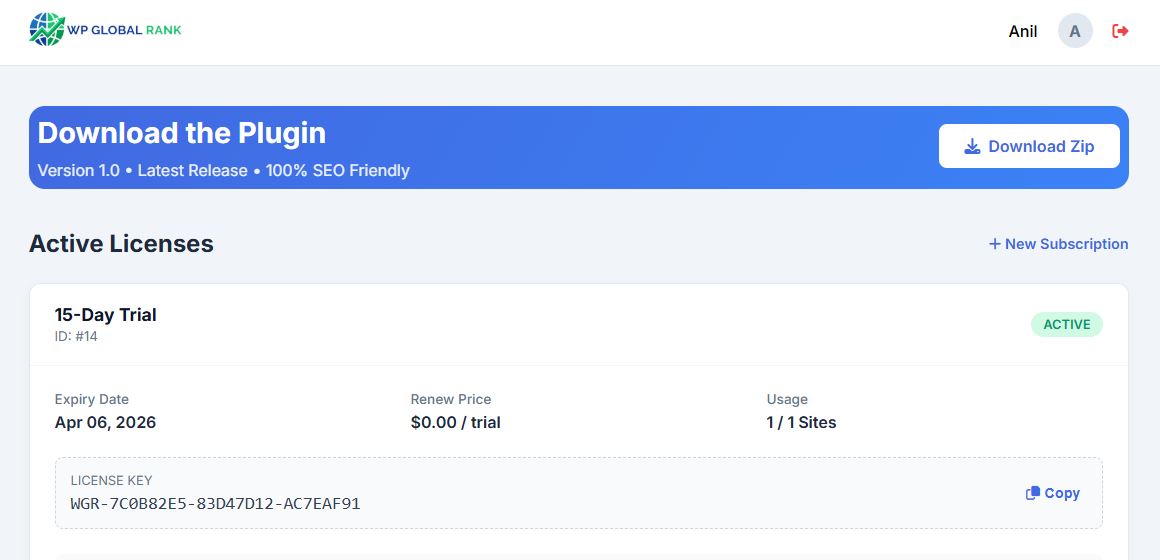
- Download the Plugin: Get the latest version from your Dashboard.
- Upload to WordPress: Go to
WordPress Admin → Plugins → Add New → Upload Plugin. - Select File: Choose the
wp-global-rank.zipfile you downloaded. - Install & Activate: Click "Install Now" and then "Activate Plugin".
License Activation
After installation, you need to activate your license key to unlock all features:
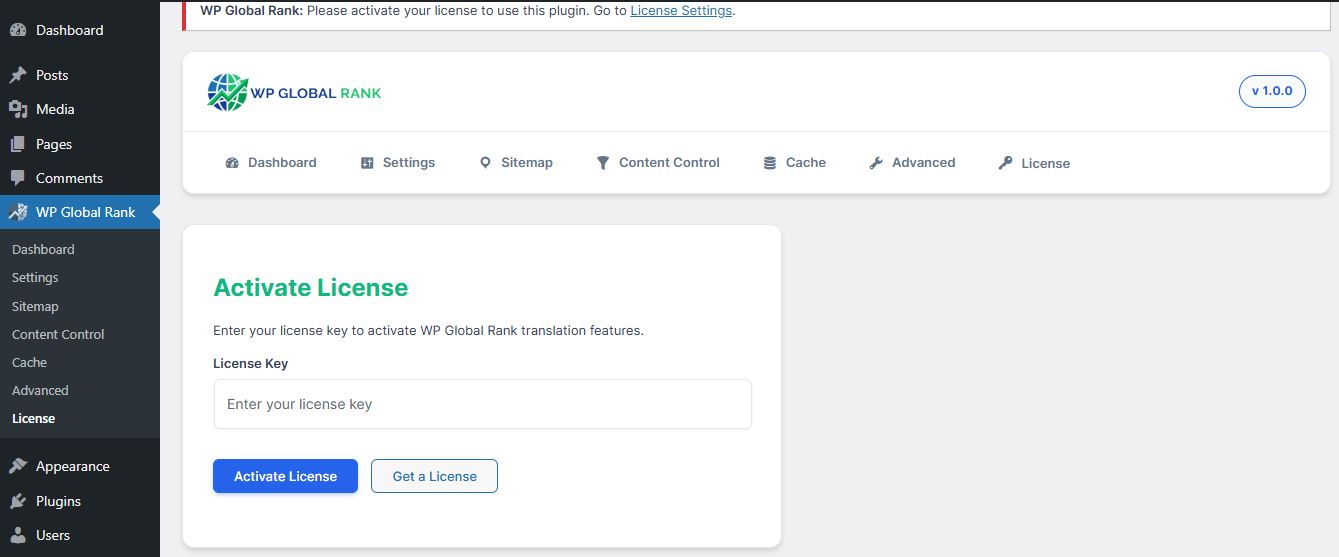
- Navigate to
Settings → WP Global Rank → Licensein your WordPress admin. - Copy your license key from your Dashboard.
- Paste the key (format:
WGR-XXXX-XXXX-XXXX) into the license field. - Click "Activate License".
- You should see a green success message confirming activation.
Plugin Settings
Configure WP Global Rank to match your needs:
Language Selection
Choose which languages to enable on your site. You can select from 103 available languages.
- Go to
Settings → WP Global Rank → Languages - Check the languages you want to activate
- Click "Save Changes"
SEO Settings
Enable automatic sitemap generation and hreflang tags:
- Auto Sitemap: Generates language-specific sitemaps automatically
- Hreflang Tags: Adds proper hreflang tags for SEO
- URL Translation: Translates slugs for better local SEO
Widget Placement
Add the language switcher to your site using:
- Shortcode:
[wpglobalrank] - Widget: Appearance → Widgets → WP Global Rank
- Menu: Add to navigation menu via Appearance → Menus
Advanced Features
WP Global Rank includes enterprise-grade optimizations to ensure maximum performance and SEO compliance:
- Server-Side .html.gz Caching: Compresses translated pages into static .html.gz payloads, bypassing PHP for sub-millisecond load times.
- Zero Database Bloat: Uses purely physical routing logic without storing massive translation strings in your MySQL database.
- Anti-Flash Content Shielding: Prevents visual glitches (FOUC) while localizing content on the frontend.
- Cloudflare & WAF Bypass: Smart integration ensures secure JSON execution without caching conflicts with external proxies.
Benefits:
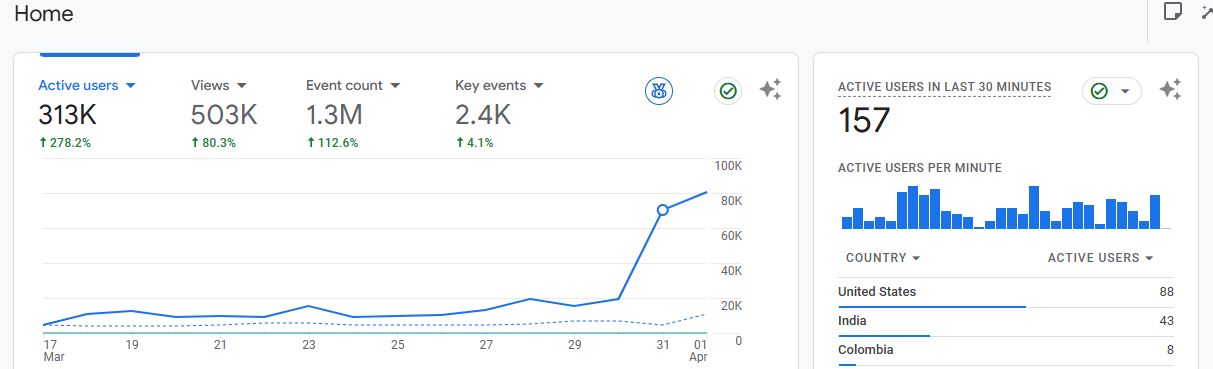
- Zero server CPU load during traffic spikes
- Maintains perfect Google PageSpeed scores
- Clean and maintainable database
- No caching conflicts with LiteSpeed or WP Rocket
Troubleshooting
License Not Activating
- Verify your license key is correct (copy-paste from dashboard)
- Check if your domain matches the registered domain
- Ensure your server can connect to our API (check firewall settings)
- Contact support if the issue persists
Translations Not Showing
- Clear your WordPress cache (if using a caching plugin)
- Clear browser cache and cookies
- Verify the language is enabled in settings
- Check if the license is active
404 Errors on Translated Pages
- Go to
Settings → Permalinks - Click "Save Changes" to flush rewrite rules
- This usually resolves URL-related issues
Frequently Asked Questions
Can I use this with any theme?
Yes! WP Global Rank is compatible with all WordPress themes, including page builders like Elementor, Divi, and Beaver Builder.
How many domains can I use per license?
It depends on your plan. Check your Dashboard for your specific domain limit. You can purchase additional domain slots for $7/month.
Is the translation automatic?
Yes, translations are generated automatically using advanced AI. You can also manually edit translations if needed.
Does this affect my site speed?
No! WP Global Rank uses server-side caching to ensure translated pages load instantly without slowing down your site.
Can I translate WooCommerce products?
Absolutely! WP Global Rank fully supports WooCommerce, including product titles, descriptions, categories, and attributes.